The question keeps arriving. People find our GlowLight page, and before they read a single feature, they search for the same thing: is there a free one, are there free alternatives, free or not. It is the most honest thing anyone types into a search bar, and nobody has actually answered it. So here is the answer, and it has three layers: what your Mac already does at $0, what free third-party tools add on top, and the exact point where a few dollars changes the picture.
Let's take them in order, because they do not overlap the way most people assume.
Your Mac already does some of this, and you paid for it once
Before installing anything, open System Settings and look at what macOS ships with. There is more ambient-adjacent behavior baked in than people credit.
Night Shift, under System Settings > Displays > Night Shift, warms the whole panel on a schedule, shifting the color temperature toward amber in the evening. Dark Mode, under System Settings > Appearance, swaps the interface to dark surfaces so the screen throws less white light into a dim room. Auto-brightness, if your Mac has an ambient sensor, quietly rides the backlight up and down as the room changes. Under System Settings > Wallpaper you also get Dynamic Wallpapers, which brighten and darken based on the time of day for your location, and the aerial sets that Apple carries over from the screen saver.
All of that is free, already installed, and honestly enough for a lot of people who just want the screen to be easier on the eyes at night.
Be careful with the aerials, though, because their reputation runs ahead of them. They animate as you lock or unlock your Mac, then settle to a still frame. You do not get a continuously moving desktop while you work, and there is no setting that makes a screen saver run while you are actually using the machine. A screen saver is idle-triggered by definition.
Here is the limit, stated plainly. None of these produce a glow that spills along the edge of your screen, and none of them react to anything you are doing. Night Shift follows a clock. A dynamic wallpaper follows the sun. macOS ships no built-in screen-edge bias light and no ambient visualizer that responds to sound or activity. The closest built-in thing to the latter is Activity Monitor's Dock icon, under Activity Monitor > View > Dock Icon, which can show CPU usage or CPU history, and that is a tiny chart in your Dock rather than anything you would call ambience.
That specific gap, an edge glow and a reactive surface, is the only reason to install anything at all.
Free third-party options, and what each one actually costs you in caveats
You can close the gap without paying. Several of these are genuinely free and worth trying first. Each one comes with a catch, though, and pretending otherwise would waste your time.
MacGlow draws a click-through glow around each display that reacts to your system audio, all processed on your own machine. It is free, MIT-licensed, and open source, needing macOS 14.2 or later. The catch matters: the project is brand new, sitting at version 0.1.5, first published in August 2026. Treat it as an experiment you are trying, not a finished tool you are committing your setup to.
MacEdgeLight is a menu bar app that wraps a ring-light overlay around the screen, aimed at video calls and recordings, and it throws in a separate display brightness boost. Free to use, no account, no subscription, macOS 13 or later, release v3.0.3 from September 2026, signed and notarized. One point of accuracy, because other write-ups get it wrong: MacEdgeLight is not open source. Its license is PolyForm Strict 1.0.0, which is explicitly not an OSI-approved open source license. Free to use and open source are two different claims, and only the first one is true here.
HaloStrip takes a narrower angle. It adds a customizable dynamic light band along the top of your menu bar, and that is the whole idea. Free on the Mac App Store with no in-app purchases found, macOS 13 or later, version 1.2.8 last updated May 2026. If all you want is a strip of color at the top of the screen, this is the least fussy way to get it.
Wallnetic plays your own video files as a live 4K desktop wallpaper and includes an audio visualizer. Free, MIT-licensed, with no account, no subscription, and no analytics, on macOS 13 or later, and it is actively developed. Note one boundary: its login-window wallpaper feature is not in the Mac App Store build, because a sandboxed app is not allowed to draw over the login window.
Plash is the clever one. It makes any website your desktop wallpaper, which is the practical route to running a reactive WebGL page as live desktop ambience without writing your own app. It is free on the Mac App Store. The catch is a hard wall: it requires macOS 26 or later. On an older Mac, this option is simply closed, no workaround.
Here they are side by side.
| Tool | What it puts on screen | Price | The catch |
|---|---|---|---|
| MacGlow | Audio-reactive glow around each display | Free (MIT) | v0.1.5, first published Aug 2026, still an experiment |
| MacEdgeLight | Ring-light overlay + brightness boost | Free to use | PolyForm Strict license, not open source |
| HaloStrip | Dynamic light band at top of menu bar | Free (no IAP) | Menu-bar strip only, nothing at the edges |
| Wallnetic | Your videos as live 4K wallpaper + visualizer | Free (MIT) | Login-window wallpaper missing in App Store build |
| Plash | Any website as live desktop wallpaper | Free | Requires macOS 26 or later |
If you want the wider view of software that reshapes how the Mac screen looks beyond ambient light specifically, our roundup of Mac visual customization apps with no hardware covers the broader field these tools sit inside.
What GlowLight gives away for free
GlowLight is a free download on the Mac App Store, and it is worth being exact about what that download contains, because vague answers here are how people end up feeling misled.
The app has two separate surfaces. One is an ambient bar that runs along the edge of your screen. The other is a floating waveform widget that reacts in real time to CPU and RAM load, or, if you prefer, to the rhythm of your typing. Both surfaces work in the free tier. Nothing is a timed trial, and nothing expires.
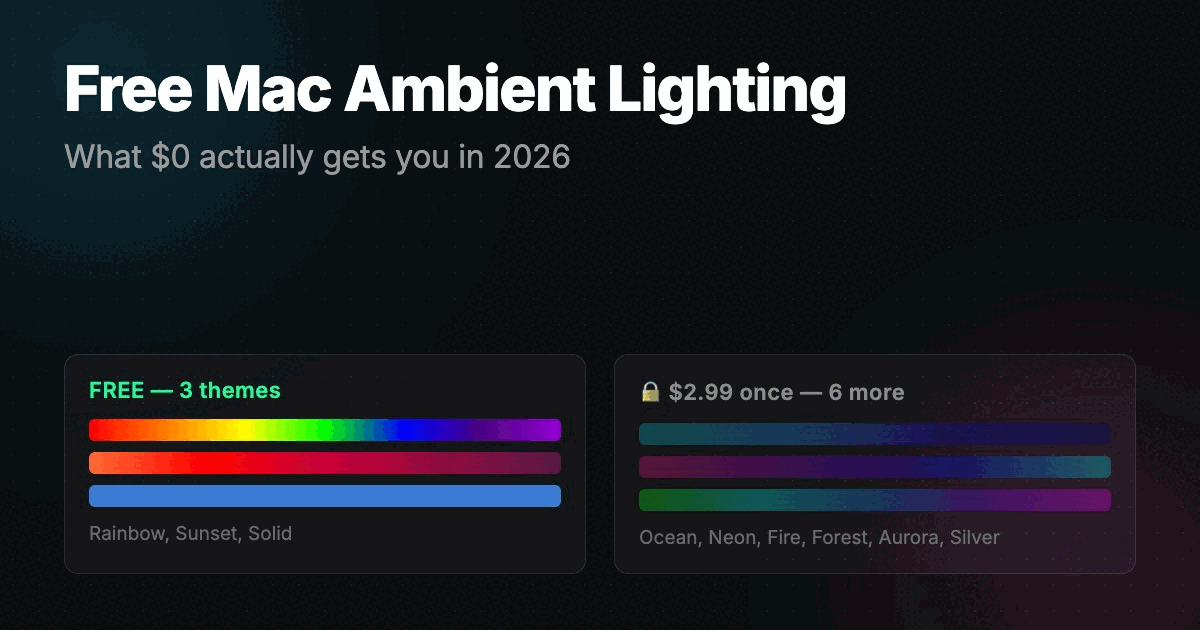
On the bar, you get 3 of the 9 themes for free: Solid, Rainbow, and Sunset. On the widget, you get 2 of the 11 styles: Chromatic Edge and Rain.
The rest sits behind one premium bundle. That unlocks the other 6 bar themes, which are Ocean, Neon, Fire, Forest, Aurora, and Silver, plus the other 9 widget styles: Liquid Glass, Fluid Blob, Ember Drift, Snow, Lightning, Spectrum, Pixel EQ, Halftone, and Pulse Core. The bundle is $2.99, paid once, not a subscription.
Two things on privacy, since they come up. Neither waveform mode touches your microphone at all. The only permission involved is Input Monitoring, and that is only if you choose the typing-rhythm mode.
When $2.99 is worth it, and when you should keep your money
Here is where being straight with you is the entire point.
Do not pay if the free set already does what you wanted. If you like Sunset running along the edge and Chromatic Edge floating on top, that combination is complete, permanent, and free. Buying the bundle would get you nothing you are actually using. Paying to own themes you will never switch to is just spending money to feel finished, and the free tier is not crippled to push you into it. It stands on its own.
Pay the $2.99 when you find yourself wanting a specific look the free tier does not carry. The obvious triggers: you want the fire or aurora palette on the bar to match a setup, or you want the moving styles like Liquid Glass, Lightning, or Pulse Core on the widget. At that point it is a one-time three dollars for the full set, with no recurring charge and nothing to cancel later. That is an easy call, and I would make it without hesitation if any of those styles caught my eye.
The one thing I would not do is buy on day one. Install it free, live with the three bar themes and two widget styles for a week, and let your actual taste tell you whether you are reaching for something that is locked. If you are, pay. If you are not, you already have what you came for.
And if you are still torn between doing this in software at all versus mounting a physical light behind the monitor, our breakdown of LED strips versus GlowLight walks through that tradeoff directly, because the honest answer there depends on your desk, not your Mac.
The short version
At $0, macOS handles color temperature, dark surfaces, and wallpaper that shifts with the time of day, but never an edge glow and never a surface that reacts to you. Free third-party tools fill that gap well, with MacGlow and Wallnetic the strongest genuinely-open picks and Plash the sharpest if you are on macOS 26. GlowLight's free tier gives you both a working edge bar and a working reactive widget with nothing set to expire, and the $2.99 unlock is worth it only once a locked style is the one you actually want.
Start free. Decide later.